Chrontel_Update_Tool Instructions for Use
1.
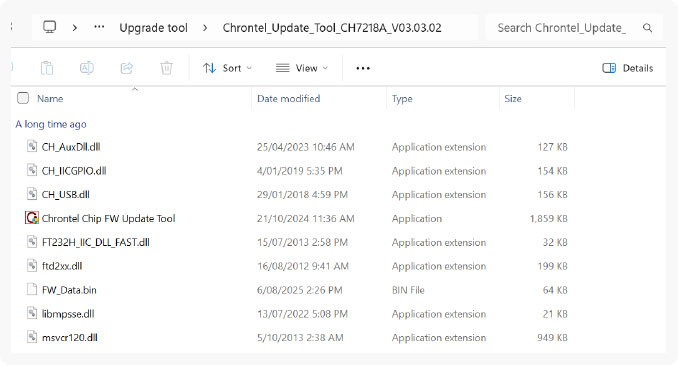
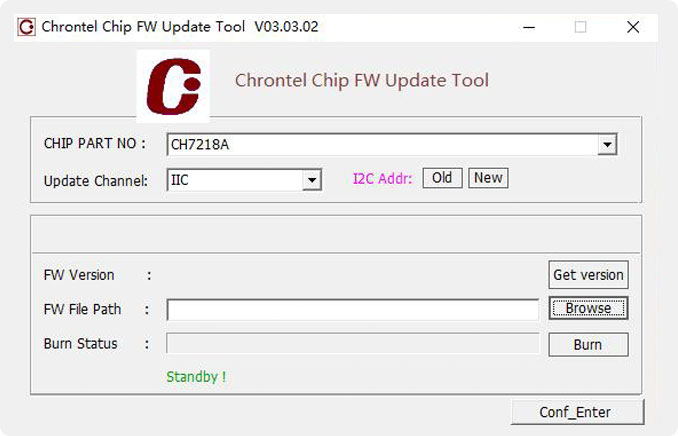
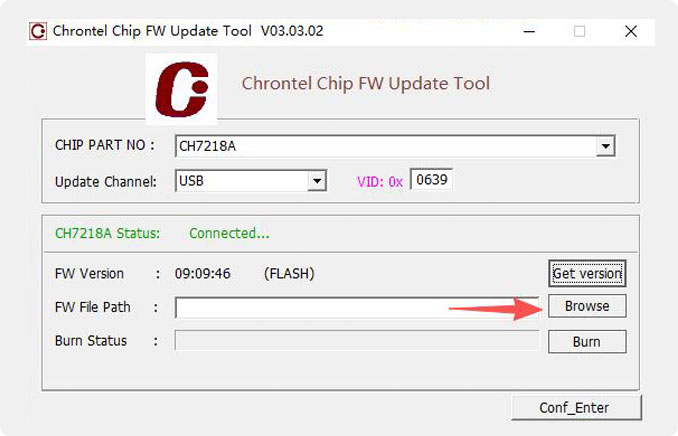
Find the file: Upgrade Tool “ Chrontel_Update_Tool_CH7218A_V03.03.02/Chrontel Chip FW Update Tool” Double-click to open:
2.
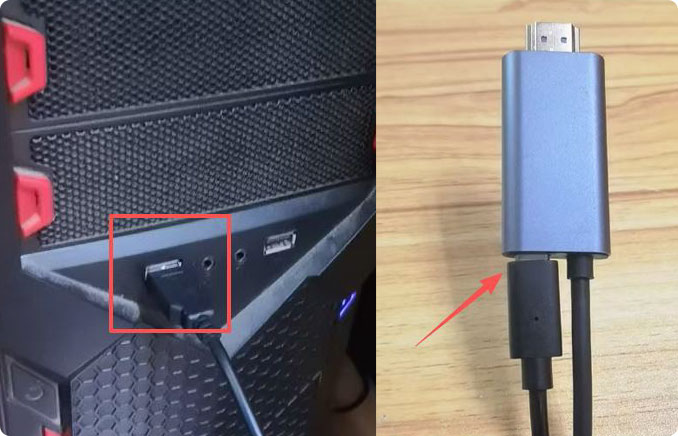
Take a USB to Type-C data cable, connect one end of the USB cable to the computer, and connect the other end of the Type-C cable to the Type-C socket of the screen projection cable
3.
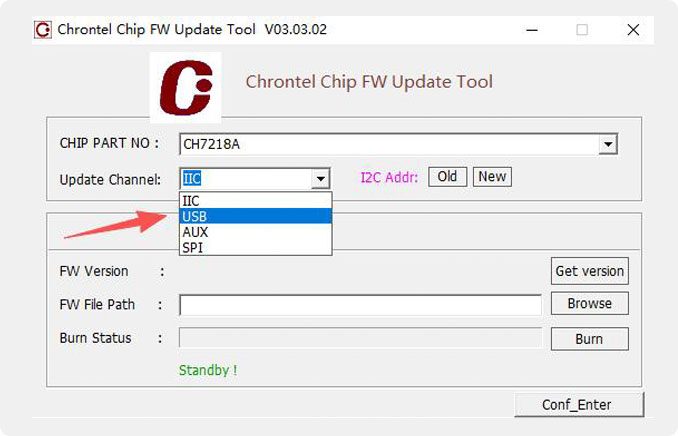
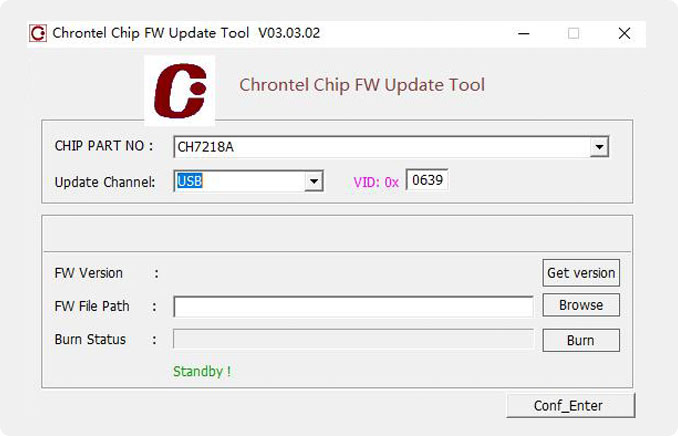
Update Channel select “USB”
4.
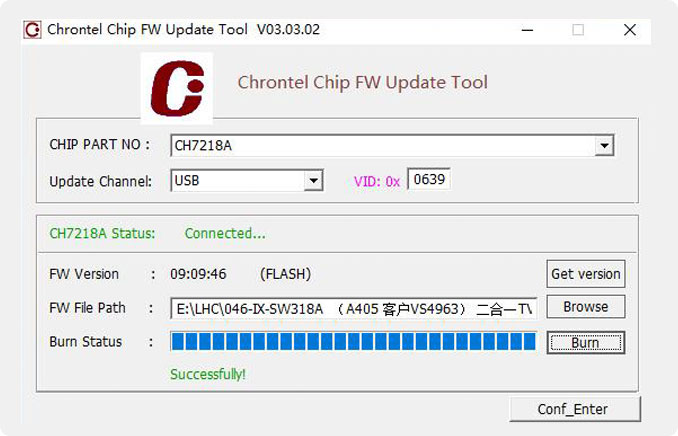
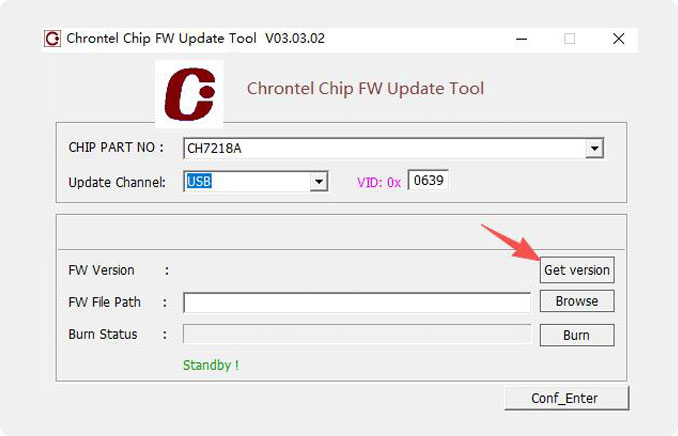
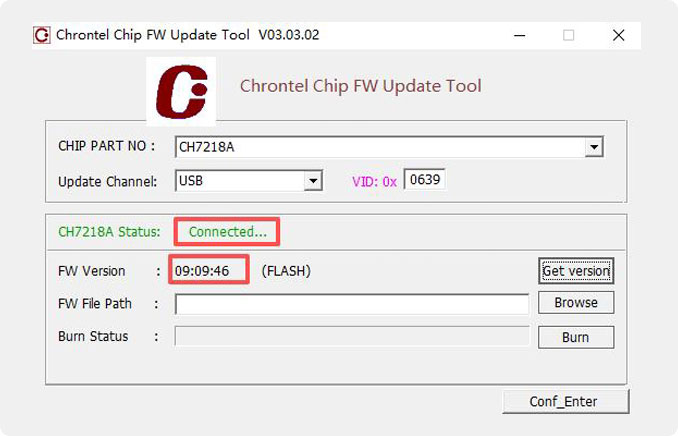
Multiple clicks“Get version”,Until green is displayed“Connect”and FW VersionIf an old version number appears, it indicates a successful connection to the device.
5.
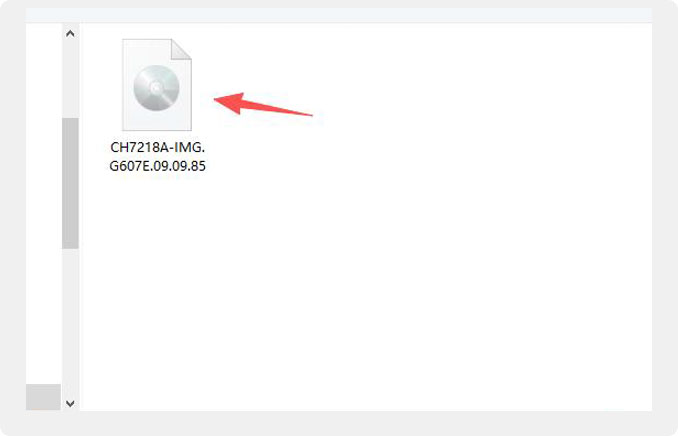
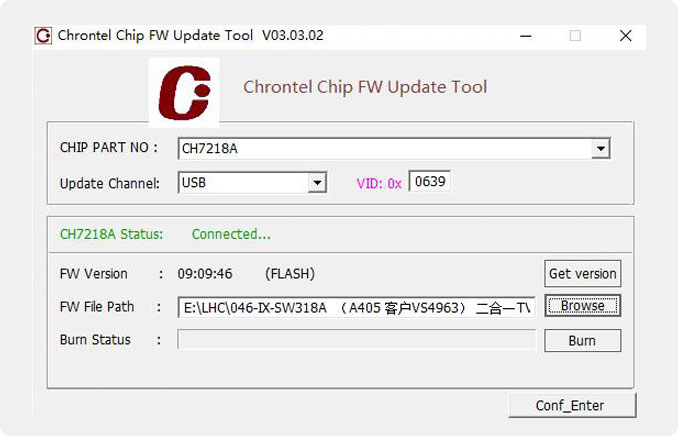
Click on“Browse”,Select new software,Open the path of“CH7218A-IMG.G607E.09.09.85”:
6.
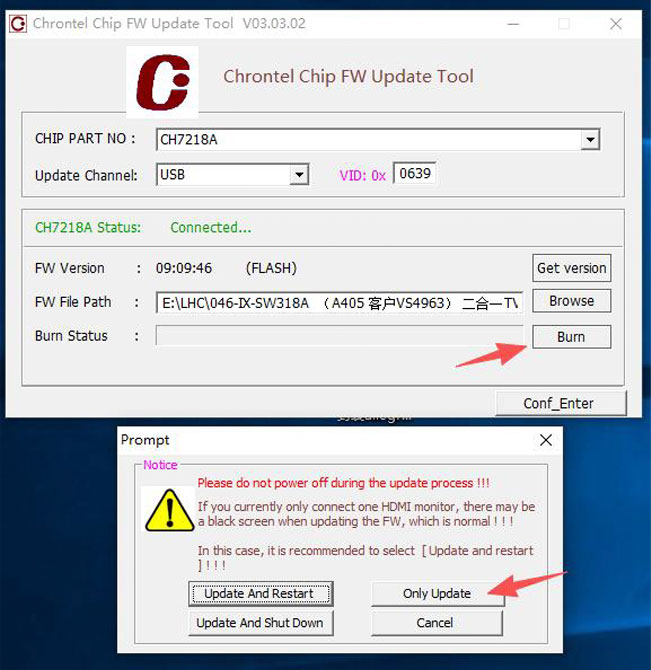
Click on “Burn”, a dialog box will pop up and select “Only Update” to start the upgrade
7.
When “Successful” is displayed, the upgrade is Complete.